Telem News

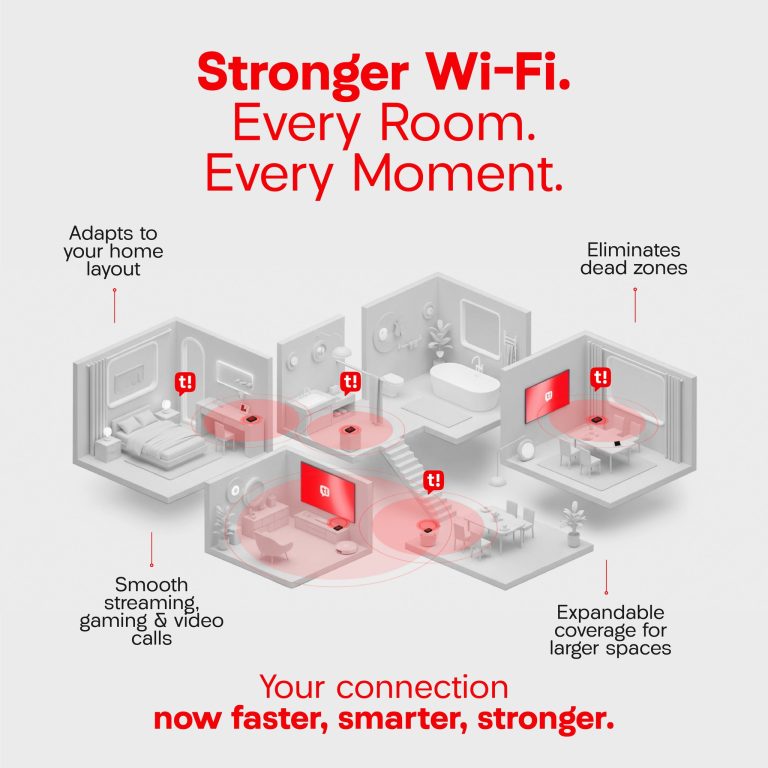
  • Telem Introduces Super Wi-Fi: Enhancing the In-Home Experience Behind St. Maarten’s Fastest Internet

  • fastest internet SXM guide
    How to Get the Fastest, Smoothest Internet Experience at Home — A Smart Guide for SXM

  • Telem Hosts First Annual “T-Hunt” Scavenger Hunt – A Fun-Filled Community Success!

  • Simpson Bay Branch Reopening Part of Telem’s Broader Transformation

  • Telem Wins Triple Recognition at Ookla Speedtest Awards

  • Important Notice for Mobile Customers in Sint Eustatius

  • Managing Multiple Accounts: Important Information

  • SMS & WIN big with TELEM

    TelEm is giving you the chance to win amazing prizes, including the grand prize—a brand-new Changan CS 55 SUV.  Participating is simple. TelEm prepaid customers can enter and win through multiple easy methods. The more you enter, the better your chances.

  • Telem Unveils Refreshed Brand Identity During Upcoming Carnival

  • Part of the team
    TelEm Group CEO dedicates two-category telco wins in Daily Herald Best-of-the-Best awards to valued employees

In need of support?
We’re Here.

Find quick answers to your most frequently asked questions or contact our support team anytime.

Check all FAQ’s

Our branch is open on weekdays at 8:00 am with Cashier Services until 3:30 pm and Customer Services until 4:00 pm.

All TelEm invoices are sent electronically to your registered email address. Make sure your account information is up to date. If you wish to update your email address, please send an email to info@telemgroup.sx. Make sure to include your account number and a copy of a valid ID/passport of the account holder.

For Business Applicants: 
Chambers of Commerce form no older than six months 
A valid ID of 1 of the directors on chambers
For Residential Applicants: 
A valid ID 
Postpaid plans: registration form or GEBE utility bill

Follow the easy steps below to set up your TelEm data settings:
iOS
Go to SettingsCellular or Mobile Data
Cellular Data Options or Mobile Data Options
Cellular Network or Mobile Data Network.
Enter the settings internet.telcell.an in all APN fields.
Android
Go to your phone settings:
Click on:Connections
Mobile Networks
Access Points Names
Create a new access point:
By Name add: TelCell
b. By APN add: internet.telcell.an
c. By Authentication type: select PAP or CHAP

Faster. Fresher. Fiber

Say hello to better speeds, smoother streams, and endless scrolls.
Experience the new Fiber plans, built for life on St. Maarten.

Check now