Telem News

  • Telem Launches YourWay Plans with More Data, Better Connection and Simpler Menu

    Philipsburg, Sint Maarten – Telem is making it easier for customers to stay connected with the launch of Telem YourWay, an improved prepaid experience designed to offer more data, more flexibility, and a simpler way to manage mobile services. Telem YourWay introduces new and improved prepaid data plans that give customers more options to choose from based…

  • Telem powers Carnival with connectivity, giveaways, and enhanced festival experience

  • Team Sint Maarten at CARIFTA Games 2026
    Telem Strengthens Financial Commitment to Youth Development, Supporting Team Sint Maarten at CARIFTA Games 2026

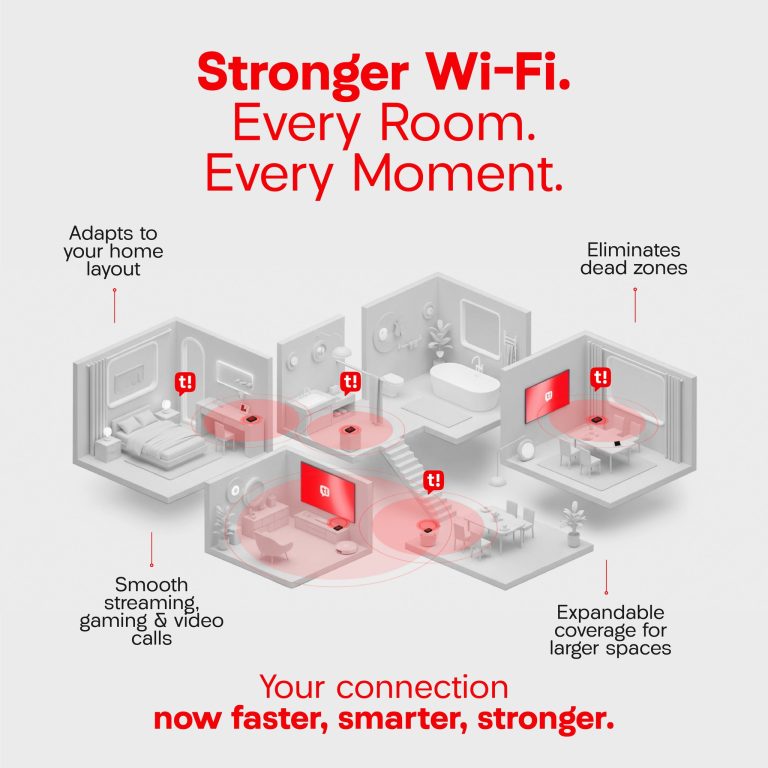
  • Telem Introduces Super Wi-Fi: Enhancing the In-Home Experience Behind St. Maarten’s Fastest Internet

  • fastest internet SXM guide
    How to Get the Fastest, Smoothest Internet Experience at Home — A Smart Guide for SXM

  • Telem Hosts First Annual “T-Hunt” Scavenger Hunt – A Fun-Filled Community Success!

  • Simpson Bay Branch Reopening Part of Telem’s Broader Transformation

  • Telem Wins Triple Recognition at Ookla Speedtest Awards

  • Important Notice for Mobile Customers in Sint Eustatius

  • Managing Multiple Accounts: Important Information

In need of support?
We’re Here.

Find quick answers to your most frequently asked questions or contact our support team anytime.

Check all FAQ’s

Our branch is open on weekdays at 8:00 am with Cashier Services until 3:30 pm and Customer Services until 4:00 pm.

All TelEm invoices are sent electronically to your registered email address. Make sure your account information is up to date. If you wish to update your email address, please send an email to info@telemgroup.sx. Make sure to include your account number and a copy of a valid ID/passport of the account holder.

For Business Applicants: 
Chambers of Commerce form no older than six months 
A valid ID of 1 of the directors on chambers
For Residential Applicants: 
A valid ID 
Postpaid plans: registration form or GEBE utility bill

Follow the easy steps below to set up your TelEm data settings:
iOS
Go to SettingsCellular or Mobile Data
Cellular Data Options or Mobile Data Options
Cellular Network or Mobile Data Network.
Enter the settings internet.telcell.an in all APN fields.
Android
Go to your phone settings:
Click on:Connections
Mobile Networks
Access Points Names
Create a new access point:
By Name add: TelCell
b. By APN add: internet.telcell.an
c. By Authentication type: select PAP or CHAP

Faster. Fresher. Fiber

Say hello to better speeds, smoother streams, and endless scrolls.
Experience the new Fiber plans, built for life on St. Maarten.

Check now